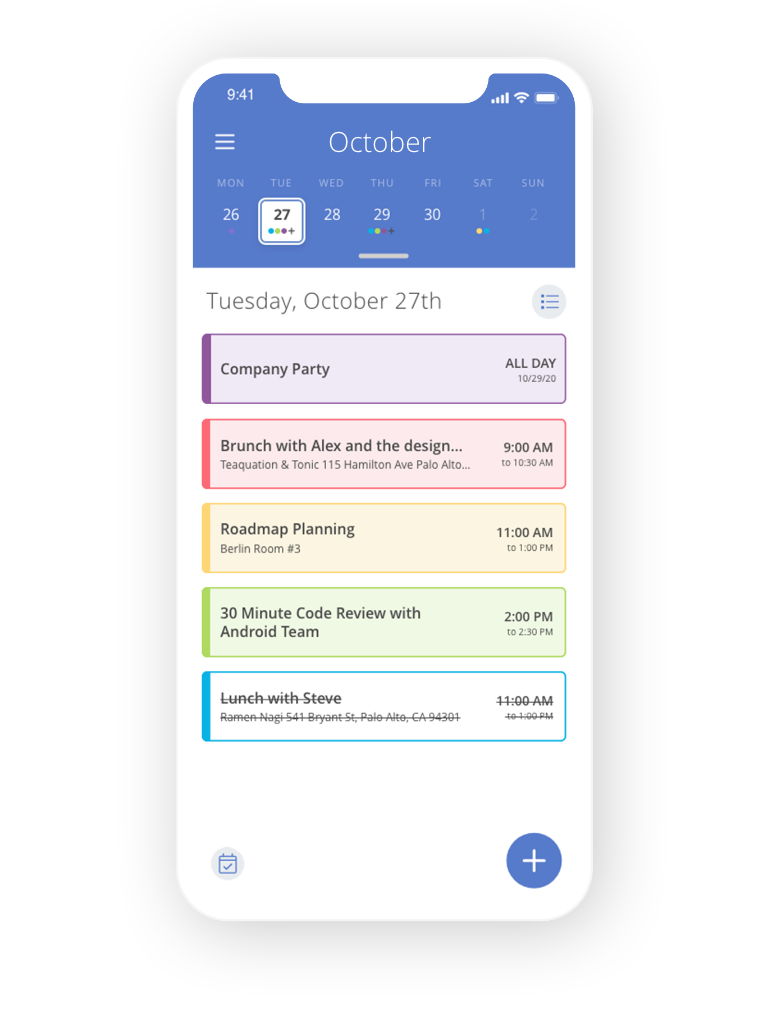
Great app!
“The best thing about Calendar is the ability to sync multiple calendars into one, so that if I wish I can see both my personal and work calendars in the same place.”
CA
Carolina ASmall Business Owner
“The best thing about Calendar is the ability to sync multiple calendars into one, so that if I wish I can see both my personal and work calendars in the same place.”
“Its seamless integration with Gmail to automatically create events from emails is an incredible time-saver and easy to use.”
“I can use it without the need of downloading an app, and it's very easy to use compared to other platforms.”
“The best part is that I can send a link and someone can book time with me. It cuts out the back and forth communication trying to find a time that works for both of us.”
“I can set notifications and automations to help with reminders and organization. I can link it to other calendars already in use.”
“Graphics, settings, and the ability to see multiple calendars overlapping.”
“It allows, through its notifications, to organize our activities and pending tasks. It also allows reviewing the pending items and scheduling other people who are in turn associated with events, being able to leave notes or links.”
“The best part is that I can send a link and someone can book time with me. It cuts out the back and forth communication trying to find a time that works for both of us.”
“I like how it aggregates all my calendars, personal and work in one place, and doesn't share personal info with my team. It just blocks the time. I'm still getting used to teams, but I like how easy it is to book.”
“I love the user experience. It takes the idea that 'sending someone a calendar link is impersonal' and turns it on its head. You can book a time to meet at any of a person's favorite restaurants and other pre-selected locations near them — extremely cool.”
Trusted by over 80,000 Businesses





















From unified calendars to round-robin team booking, explore everything Calendar can do for the way you actually work.
The more you use Calendar, the more it understands. We use AI and machine learning to tune scheduling to the way you actually work, so you'll get more done, with less friction, over time.
Send a link. They pick a time. It's on both calendars before you finish your coffee.
Calendar detects where everyone is and shows times in their local zone. No math required.
Pull in three, five, fifteen people, see real overlap, and book the meeting with a single click.
Copy an event across every calendar you own with a single click.
Chain triggers, conditions and actions so booking, notes and follow-ups run themselves.
Send every booking to the right person with even, weighted or priority-based rules.
News, tools and help for driving you and your team to greater heights in productivity and business.

Give yourself a week to write a report, and you’ll spend a week writing a report. Give yourself two hours, and you’ll finish in two hours — often with better output. This is Parkinson’s Law: work expands to fill the time allotted. First described in 1955 by British historian C. Northcote Parkinson, it’s the single […]

In 2016, Georgetown professor Cal Newport published Deep Work — a book that predicted, with unusual accuracy, exactly how the modern knowledge economy would fragment. A decade later, his four rules have quietly become the operating manual for the top 1% of knowledge workers. Understanding them, and applying them, is arguably the highest-leverage professional decision […]

If you’re self-employed, you already know the sting of that first tax bill. Between federal income tax and the 15.3% self-employment tax (covering both the employer and employee portions of Social Security and Medicare), freelancers, contractors, and small business owners can easily face effective tax rates of 30-40%. Self-Employment Taxes Are Brutal — But Deductions […]
We rank the best calendar apps in the World. We breakdown everything to help your business productivity grow daily.
Learn MoreLearn everything there is to know about Google calendar. We teach you tips and tricks to better optimize your time.
Learn MoreThe things people most often ask before they sign up. Don't see your question? Reach out.
Mastering a calendar app can be one of the most productive changes in your professional and personal life. Calendar puts all of your calendars (personal, work, etc.) into a dashboard where you can easily see what’s on your schedule. View one calendar at a time or all at once.
When you need to schedule a meeting, Calendar looks at your connected calendars to find open scheduling events. You can customize the options to remove or add times and select meeting length. You can also add meeting location options like a physical address, phone number, or Zoom link. Once you've made your preferences, you can email your availability to meeting attendees. All they need to do is click on a time to reserve it and Calendar puts it on your calendar as well as sends the meeting attendees an invite.
These smart, customizable scheduling links allow people to book meetings with you in a flash and make sure you are never double booked.
Think of us like your smart calendar assistant that keeps track of all your appointments and helps you understand how you can spend your time better!
Try Calendar free for 14 days.