Great app!
“The best thing about Calendar is the ability to sync multiple calendars into one, so that if I wish I can see both my personal and work calendars in the same place.”
CA
Carolina ASmall Business Owner
“The best thing about Calendar is the ability to sync multiple calendars into one, so that if I wish I can see both my personal and work calendars in the same place.”
“Its seamless integration with Gmail to automatically create events from emails is an incredible time-saver and easy to use.”
“I can use it without the need of downloading an app, and it's very easy to use compared to other platforms.”
“The best part is that I can send a link and someone can book time with me. It cuts out the back and forth communication trying to find a time that works for both of us.”
“I can set notifications and automations to help with reminders and organization. I can link it to other calendars already in use.”
“Graphics, settings, and the ability to see multiple calendars overlapping.”
“It allows, through its notifications, to organize our activities and pending tasks. It also allows reviewing the pending items and scheduling other people who are in turn associated with events, being able to leave notes or links.”
“The best part is that I can send a link and someone can book time with me. It cuts out the back and forth communication trying to find a time that works for both of us.”
“I like how it aggregates all my calendars, personal and work in one place, and doesn't share personal info with my team. It just blocks the time. I'm still getting used to teams, but I like how easy it is to book.”
“I love the user experience. It takes the idea that 'sending someone a calendar link is impersonal' and turns it on its head. You can book a time to meet at any of a person's favorite restaurants and other pre-selected locations near them — extremely cool.”
Trusted by over 80,000 Businesses





















From unified calendars to round-robin team booking, explore everything Calendar can do for the way you actually work.
The more you use Calendar, the more it understands. We use AI and machine learning to tune scheduling to the way you actually work, so you'll get more done, with less friction, over time.
Send a link. They pick a time. It's on both calendars before you finish your coffee.
Calendar detects where everyone is and shows times in their local zone. No math required.
Pull in three, five, fifteen people, see real overlap, and book the meeting with a single click.
Copy an event across every calendar you own with a single click.
Chain triggers, conditions and actions so booking, notes and follow-ups run themselves.
Send every booking to the right person with even, weighted or priority-based rules.
News, tools and help for driving you and your team to greater heights in productivity and business.

As an entrepreneur with several businesses or a new startup, and especially if you have moved into the small business class, getting your billing set up takes a lot of effort. Set up a recurring billing cycle as soon as possible. For recurring billing, you need four things: a payment processor that supports subscriptions, clearly […]

To build a bookkeeping system that actually works, you need four things: a separate business bank account, accounting software connected to it, a weekly habit of categorizing transactions, and a monthly reconciliation. That’s genuinely it. Most small business owners overcomplicate bookkeeping or avoid it entirely, then face a nightmare at tax time. A simple system […]

As an entrepreneur, you may be in a startup and want to watch your funds closely. Here’s the direct answer to how much you can afford on your salary: a widely used guideline, the 28/36 rule, says you should spend no more than 28% of your gross monthly income on housing and no more than […]
We rank the best calendar apps in the World. We breakdown everything to help your business productivity grow daily.
Learn MoreLearn everything there is to know about Google calendar. We teach you tips and tricks to better optimize your time.
Learn MoreThe things people most often ask before they sign up. Don't see your question? Reach out.
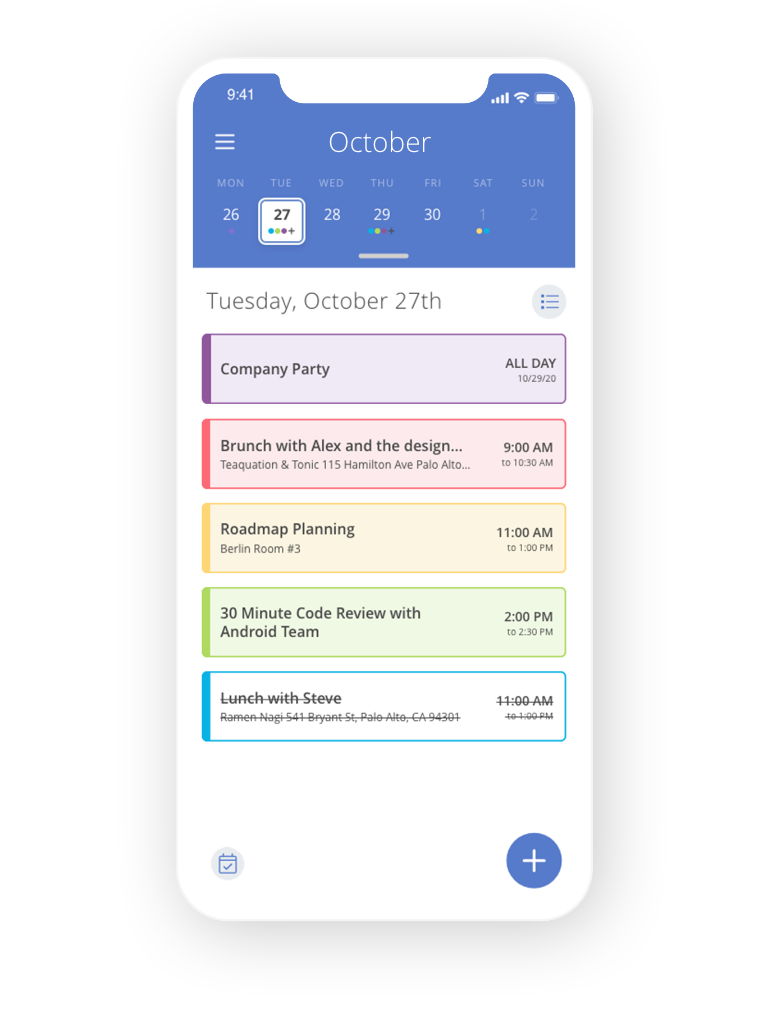
Mastering a calendar app can be one of the most productive changes in your professional and personal life. Calendar puts all of your calendars (personal, work, etc.) into a dashboard where you can easily see what’s on your schedule. View one calendar at a time or all at once.
When you need to schedule a meeting, Calendar looks at your connected calendars to find open scheduling events. You can customize the options to remove or add times and select meeting length. You can also add meeting location options like a physical address, phone number, or Zoom link. Once you've made your preferences, you can email your availability to meeting attendees. All they need to do is click on a time to reserve it and Calendar puts it on your calendar as well as sends the meeting attendees an invite.
These smart, customizable scheduling links allow people to book meetings with you in a flash and make sure you are never double booked.
Think of us like your smart calendar assistant that keeps track of all your appointments and helps you understand how you can spend your time better!
Try Calendar free for 14 days.